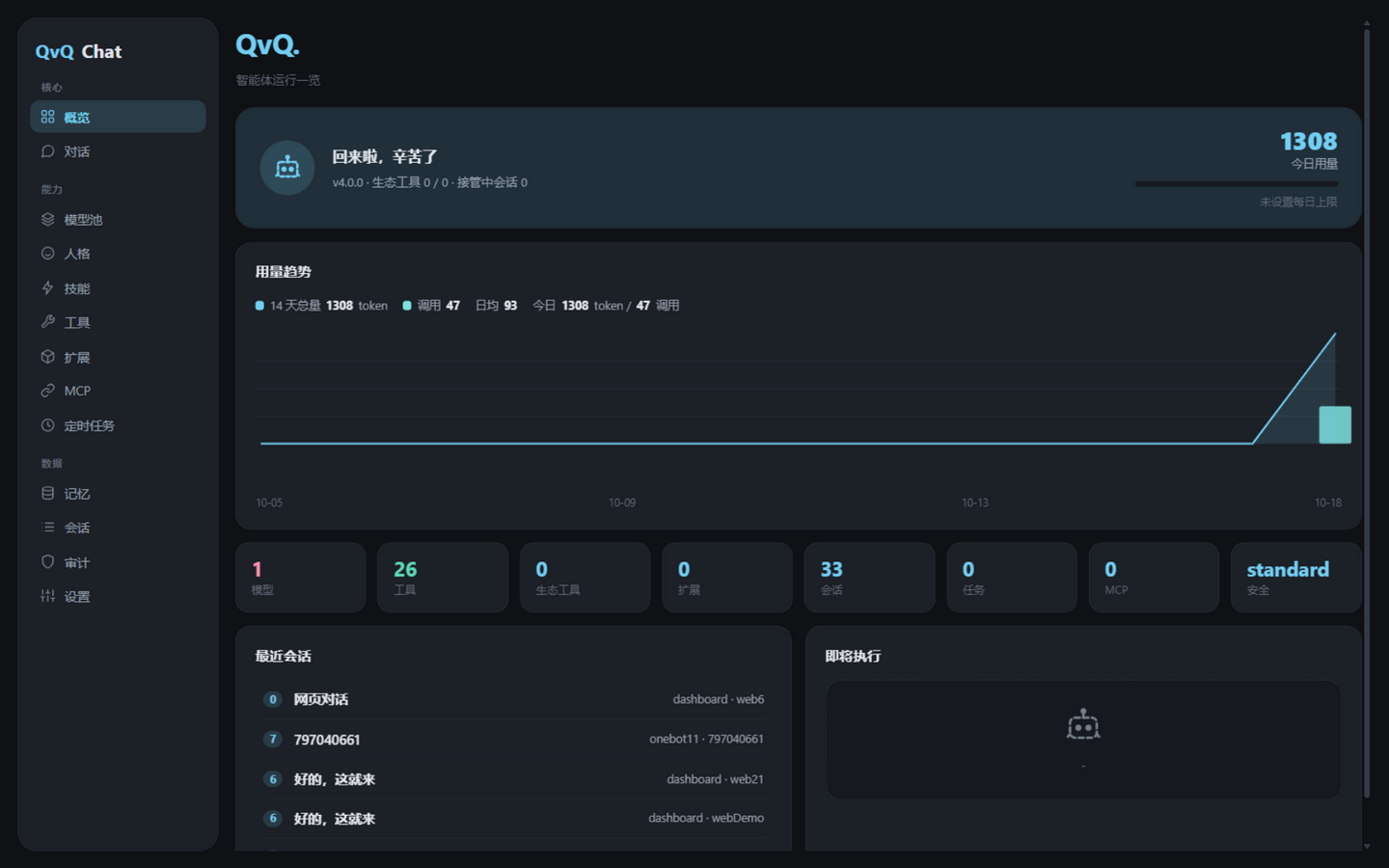
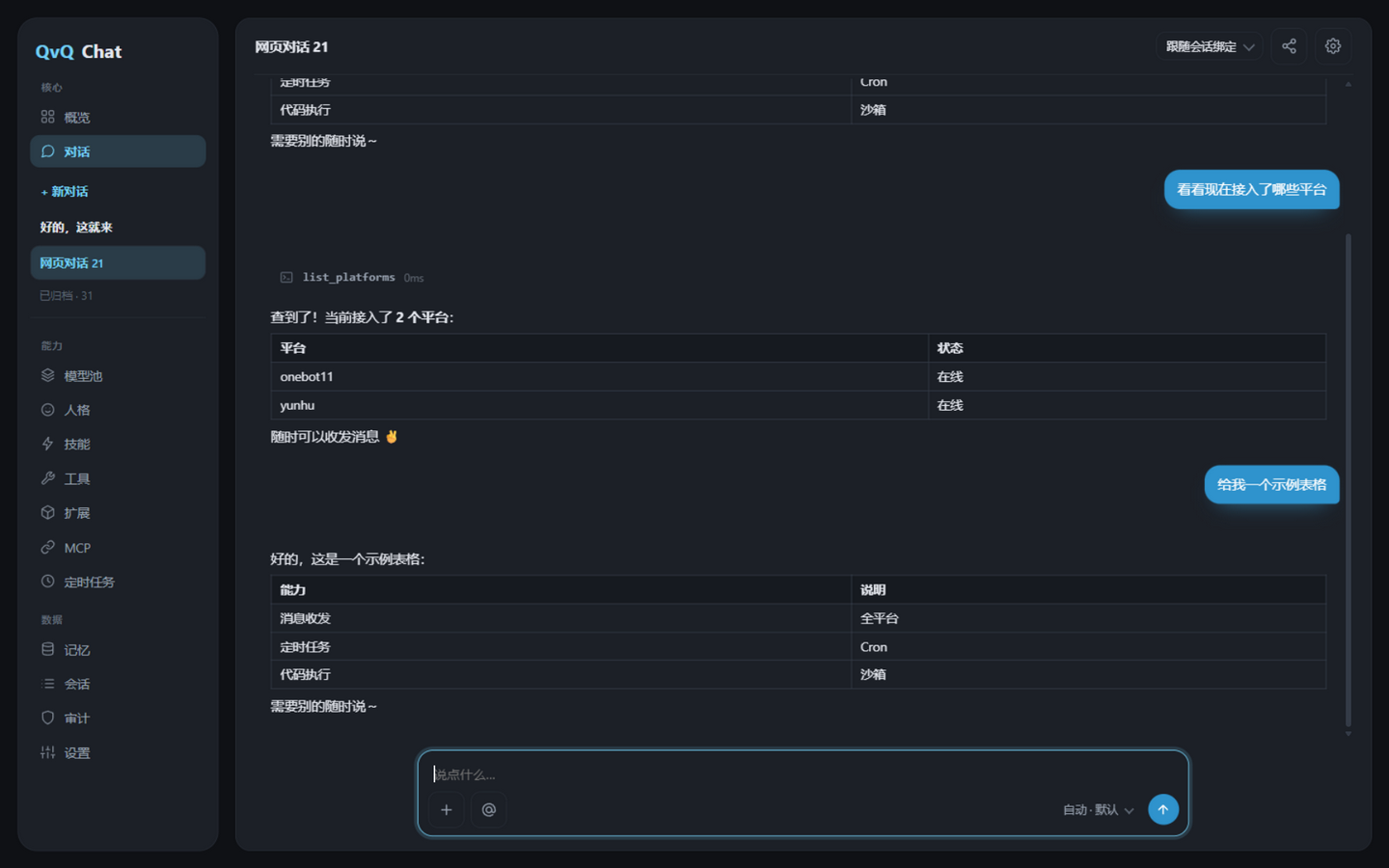
ErisPulse-QvQChat General Agent
ErisPulse-QvQChat is a general-purpose agent module built around a tool loop: sending and receiving messages, calling ecosystem module services, writing and running code, operating the computer, generating images and voice, managing scheduled tasks and long-term memory—all accomplished through the same tool protocol.
Important
QvQChat needs to be installed separately:
epsdk install ErisPulse-QvQChat
Additionally, you need to add at least one OpenAI-compatible model (Base URL, API Key, model name) to the "model pool".
Core Capabilities
| Capability | Description |
|---|---|
| Tool Loop | Model outputs tool calls → concurrent execution → result backfill → continue reasoning until a final answer is given |
| Streaming Chat | SSE outputs characters one by one, tool steps are visible in real time; refreshing or switching away and returning won't lose progress |
| Context Compression | Automatically compresses old conversations into summaries when exceeding the token threshold (default 128000 estimate, customizable) |
| Ecosystem Service Bridge | Automatically discovers services declared by modules and converts them into tools, adding or removing modules adds or removes capabilities |
| MCP Client | stdio and Streamable HTTP, MCP tools are included in the same tool set |
| Sub-Agent | spawn_agent spawns a sub-agent in a separate session to explore tasks, only reporting conclusions |
| In-Process Execution | run_python_sdk runs Python in the main process, directly accessing runtime objects |
| Computer Operation | Three-level security sandbox (strict / standard / permissive), dangerous operations require confirmation, full audit trail |
| Visual Understanding | Images are automatically injected into the model (automatically stripped and retried if image support is not available) |
| Attachments | Any file is deduplicated by hash and saved to disk, with paths given to the AI for handling; Ctrl+V pastes screenshots |
| Share Session | Temporary read-only link (with expiration + token budget), export as Markdown |
| Scheduled Tasks | Cron / one-time / interval, persistent, permissions follow the creator |
| Session Takeover | Administrators can make an agent exclusively own a session |
| Personality System | System prompt + opening dialogue + tool whitelist, can be bound to sessions |
| Long-term Memory | Each session has memory entries, retrieved and injected based on similarity |
| AI Auto-naming | Generates a short title automatically after the first reply in a session |
Module Extensions
Any ErisPulse module that declares services automatically becomes a tool for QvQChat, without requiring a dedicated interface:
from ErisPulse.Core.Bases import BaseModule, ModuleMeta

class Main(BaseModule):
    @staticmethod
    def get_meta() -> ModuleMeta:
        return ModuleMeta(name="Draw", services=[
            {"name": "draw", "description": "Generate an image based on a description and return the image URL"},
        ])

    async def draw(self, prompt: str, size: str = "1024x1024"):
        return {"image_url": "https://..."}
The method signature is automatically mapped to the tool's JSON Schema parameter definition, and the first line of the docstring serves as the parameter description.
Deep Integration (Optional)
Modules can optionally implement any of the following services. Each service is independent and optional—a module can provide only personality extensions, or only inject system prompts.
qvq_prompts() → Inject system prompts
Returns a list[str] or list[{"text": str, "priority": int}], which are concatenated in ascending order of priority.
async def qvq_prompts(self):
    return [
        {"text": "After drawing, use send_message to send the image to the user.", "priority": 10},
        {"text": "Supported styles: anime, realistic, watercolor, pixel art.", "priority": 20},
    ]
qvq_personas() → Register personality presets
Returns a list of personalities. The id is automatically prefixed with ext.<module_name>., and the module is automatically cleaned up when unloaded. This is suitable for modules dedicated to personality extensions (such as emotional companionship, translation specialists, code reviewers, etc.).
async def qvq_personas(self):
    return [
        {"id": "companion", "name": "Warm Man", "system": "You are a warm and considerate chat partner..."},
        {"id": "coder", "name": "Code Mentor", "system": "...", "tools": ["read_file", "run_python"]},
    ]
The tools field is optional and can limit the subset of tools available to that personality.
qvq_schemas() → Explicit parameter schema
Returns a dict[service_name, JSON Schema], which overrides the inferred schema from the method signature. Use this when parameters are complex or strict validation is required.
async def qvq_schemas(self):
    return {
        "draw": {
            "type": "object",
            "properties": {
                "prompt": {"type": "string", "description": "A description of the image"},
                "size": {"type": "string", "enum": ["512x512", "1024x1024"]},
            },
            "required": ["prompt"],
        },
    }
Refresh Timing
The refresh timing for deep integration services: startup, module loading/unloading, and manual refresh on the Dashboard "Tools" page.
Event Subscription
QvQChat broadcasts two lifecycle events:
| Event | Timing | Payload |
|---|---|---|
qvq.message |
When a user message is received | chat_key platform sender_id sender_name text is_group |
qvq.replied |
After a reply is sent | chat_key reply tools |
async def setup(self):
    sdk.lifecycle.on("qvq.message", self.on_message)
Invoked as a Service
| Service | Signature | Description |
|---|---|---|
chat |
(session_id, prompt, persona="") |
Interact with the agent, return text |
run_prompt |
(chat_key, prompt, ...) |
Execute a prompt, the result can be sent to the target session |
get_status |
() |
Status summary of execution |
Interface
Access independently via /QvQChat/view, or embed in the Dashboard sidebar.